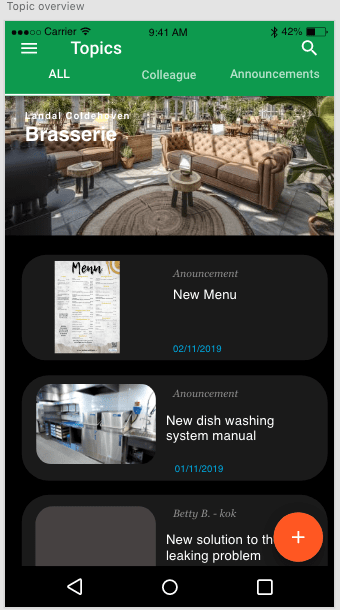
The topic page is the part of the app where all the latest news and updates on certain issues and discoveries can be posted within the company. The two pictures below show a first idea on how to bring this topics page to life.
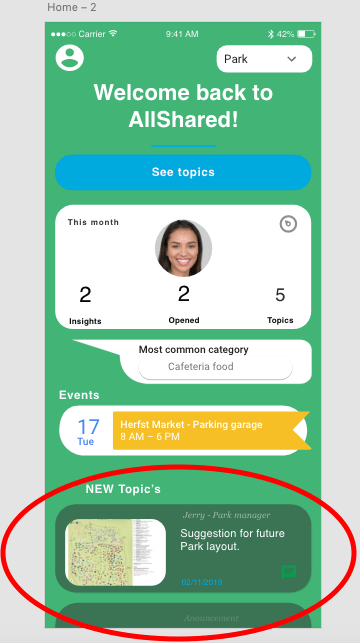
In the design, the topics are placed in the lower part of the homepage, as can be seen in the picture below.
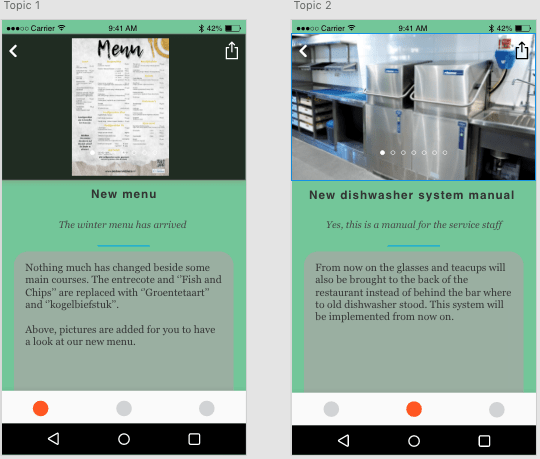
The topics can be displayed as shown below.
Attempt 1
In my first attempt I mainly used a method where you visually can see topics that are added but you can’t add them yourself. The layout is based out of a Facebook layout. The video below shows how the first attempt looked like.
The page looks nice but there is much you can do. I would like to have it that the user not only can see the topics but also add one. The youtube video and the link to the Github code that I used as a basis are shown down below.
https://github.com/uzirthapa/facebook-ui/blob/master/src
Attempt 2
In the second attempt I followed one youtube channel in specific. He showed me how to use firebase to make topics and how to save, display and delete them. This I wrote together with his example. This was very nice because I could copy every move and with that. Learn from it. To learn every step was very time consuming. In the video below you can see how I shaped the topic page so far.
I learned how to work with Vuex and how to implement timer and date components (Android). Vuex does store information, but when the page is re-loaded, the stored information is erased. The link for the Youtube channel I watched and learned from:
Time spend on topic page
- Attempt 1: 4 hours
- Watching half the youtube tutorial playlist: 5 hours
- Implementing the newly learned knowledge into the code: 5 hours
- Making this blog post (including Youtube video’s and links): 1 hour
 Employee satisfaction